


DIY Bubble Tea Simulator
3.33.00 Reviews
App Specs
- Version
- 1.0.6
- Updated On
- License
- Free
- Downloads
- 1,000,000+
- Developer
- Pageto Production
- Categories
- Simulation
- Platform
- Android
Screenshots
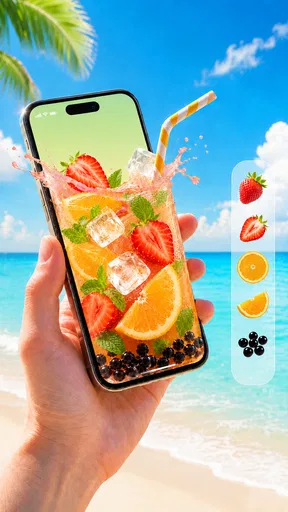
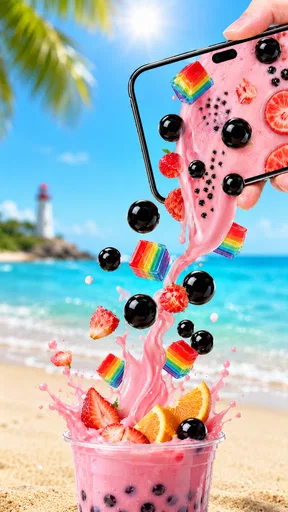

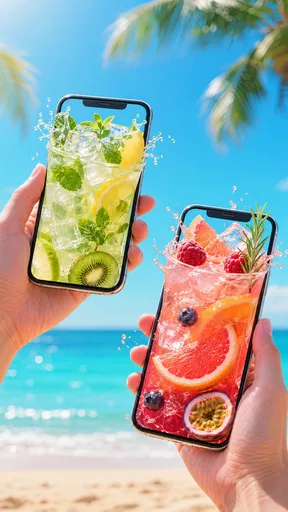
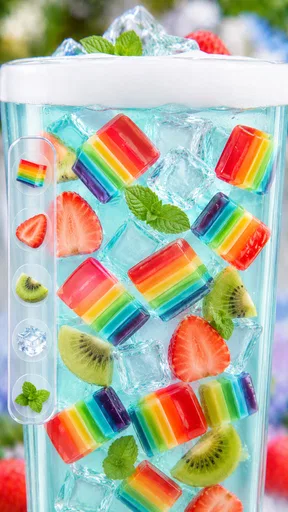
 Analysis by AppCompare
DIY Bubble Tea Simulator is the kind of small simulation game I open when I want something light, silly, and immediately understandable. The basic appeal is clear: I prepare a virtual boba drink, mix it, shake it, and use the result for playful interactions with friends. It is not trying to replace a deep management simulator, and that is exactly why it can work well for a quick break. My experience is best described as casual experimentation rather than long-term progression.
Developed by Pageto Production, this free game sits in the simulation category and is suitable for Everyone. It has attracted over a million installs, which makes it easy to see why someone might come across it while looking for a harmless drink-making game. The current version is 1.0.6, and it runs on Android 7.0 or later. Its average rating is 3.3, so I would approach it with reasonable expectations: there is a simple idea here, but the overall experience may not satisfy players who want a polished, content-heavy game.
Getting started without turning a simple game into a chore
The first thing I would check is whether the game opens normally and responds to touch input. Because the central appeal depends on actions such as mixing and shaking, a delayed response can make the whole experience feel broken even when the problem is temporary. I recommend closing other demanding apps before starting, especially on an older phone. This is not about changing the game itself; it simply gives a lightweight title the best chance to react cleanly.
It is also worth checking the Android version before downloading. The game supports Android 7.0 and newer, so a device below that requirement is not a suitable match. On a compatible phone, I would keep enough free storage available for the installation and avoid beginning the download while the connection is unstable. A failed or incomplete installation can look like a gameplay issue later, when the real problem happened before the first drink was made.
The game is free, which makes trying it low-risk for someone curious about the concept. I still would not install it automatically on every family device without checking who will use it. The age classification is Everyone, and the prank-focused theme is presented as playful rather than serious, but younger players may still need a little guidance about treating the joke as a game rather than copying messy behavior with real drinks.
Where the first session can feel confusing
The most likely point of friction is understanding what the game expects from each gesture. A player may tap repeatedly when the intended action is a drag, a shake, or a longer press. When an interaction seems inactive, I try the obvious gesture again at a slower pace instead of rapidly tapping every part of the screen. That small change often separates a missed input from a genuine loading or responsiveness problem.
I also avoid judging the game too quickly from the first few seconds. A drink-making simulator can feel almost empty if I rush through the preparation without paying attention to the order of actions. I treat each stage as a short experiment: add what is available, mix carefully, shake when prompted, and observe what changes. This approach makes the playful side more noticeable and prevents the session from becoming random button pressing.
Worth Reading Before You Choose

EA SPORTS FC Mobile 26 Is a Bigger Football Game, but It Takes Time

Flipboard Shows What News Apps Must Do Beyond the Feed

Switching to Android Auto Means Rethinking Your Driving Routine

Google Calendar Makes a Crowded Week Easier to Manage

Ludo King Makes the Most of the Minutes Between Plans

Baby Panda World Brings Quick Play to Modern Phones, but Its Game Library Feels Busy
Another practical issue is expectation. The store summary presents the game as a way to create boba tea and prank friends, but I would not approach it expecting the detailed ingredient management found in a full cooking simulator. Its strength is immediacy. I can understand the premise quickly, while the trade-off is that the novelty may wear off sooner if I need complex recipes, a large campaign, or a serious scoring system.
A reliable setup routine
My preferred setup is simple. I install the game on a compatible Android device, let the first launch finish without switching repeatedly between apps, and begin with one uncomplicated session. If the screen appears slow, I wait rather than pressing the same control over and over. Repeated inputs can make it harder to tell whether the game is responding late or whether I have accidentally triggered the same action several times.
If the game closes during startup, I restart the device and try again before making more drastic changes. I also check that the installation completed properly and that the phone is not nearly full. These are general checks, but they matter more in a casual game because a player may assume the title itself is unreliable after one bad launch.
For families, I would set expectations before handing over the phone. The game is free and rated Everyone, but the prank element is the main social hook. A child who wants a quiet decorating game may enjoy the drink preparation but dislike the joke-oriented part. Conversely, someone looking for a quick way to entertain a friend may find that the playful presentation is more important than the drink-building depth.
The best way to test it is to judge the first session as a short toy-like experience, not as a complete restaurant simulator. That distinction helps explain both its appeal and its limitations. If the basic mixing and shaking loop feels amusing, the game can be a pleasant time-filler. If those actions already feel repetitive, additional play is unlikely to change your opinion dramatically.
Recovering when a drink session goes wrong
When an interaction stops responding, I use a calm recovery sequence. First, I stop tapping and give the current screen a moment. Next, I leave the session in the normal way if the game allows it, then reopen it. If the problem remains, I close the app completely and launch it again. These steps are safer than repeatedly forcing actions, because they reduce confusion about whether the game is waiting for an input or has actually stalled.
I would avoid clearing app information as an early troubleshooting step. That can remove local progress or reset the experience, and a minor temporary issue does not justify that risk. Restarting the app and device is a better first response. If the game works after reopening, I would continue with shorter sessions and note whether the problem appears during a particular gesture or only after switching away from the game.
It helps to separate a failed action from a failed session. If one shake does not register, I try the same motion more deliberately and keep the phone steady. If the entire interface stops reacting, I treat it as a possible app or device interruption rather than blaming the recipe. This distinction saves time and gives a clearer idea of whether the issue is repeatable.
On a phone with an older touchscreen, fast or wide movements may not register consistently. I use controlled gestures near the center of the display and make sure my finger is not sliding from a notification edge or navigation area. A case with a raised rim can also make edge gestures awkward. These are small practical details, but they matter in a game whose fun depends on physical-feeling actions.
When the game is not really the cause
Not every failed launch or delayed response comes from DIY Bubble Tea Simulator. A weak connection can interrupt installation or any part of the opening process that depends on a completed download. Low storage can prevent a clean update. An overloaded phone can make a simple game feel sluggish. Before deciding that the title is defective, I check those surrounding conditions and try another app briefly for comparison.
If other apps are also freezing, the phone is the more likely source of the trouble. In that situation, restarting the device, closing unused apps, and freeing a little storage are sensible general steps. If only this game behaves badly while everything else works normally, reinstalling may be worth considering, but I would do that only after remembering that removing an app can affect local progress.
There is also a difference between a technical problem and a design limitation. A short play loop is not automatically a malfunction. If I can prepare a drink, perform the intended interactions, and enjoy the joke, the game may simply be delivering exactly the level of complexity it was designed to provide. Players who want deeper customization should not mistake that missing depth for a setting that needs to be fixed.
The rating of 3.3 gives useful context here. It suggests that the experience is not universally satisfying, so I would pay attention to my own tolerance for repetition. Someone who enjoys quick, tactile mini-games may overlook rough edges. Someone who expects consistent long-term goals may find the same simplicity frustrating. The rating is not a verdict on every device or player, but it is a reminder to keep expectations modest.
How it compares with other casual simulation choices
Compared with a full cooking or restaurant-management game, this title is easier to understand and faster to start. I do not need to learn a large menu or manage a complicated business before reaching the central activity. That makes it a better choice for a short break, a younger player, or a friend who wants to try something amusing without committing to a long tutorial.
The trade-off is meaningful. More substantial cooking games usually offer stronger progression, broader ingredient choices, customer goals, or resource decisions. DIY Bubble Tea Simulator is better viewed as a playful drink-making toy than as a detailed economic simulation. If your enjoyment comes from optimizing recipes, planning a shop, or unlocking a large collection of content, another game in the category will probably hold your attention longer.
It also differs from a conventional puzzle game. The main pleasure is not necessarily solving a difficult challenge; it comes from carrying out the preparation and seeing how the prank-oriented concept feels in use. That makes it suitable for casual social moments. I can imagine showing it to a friend during a short wait, letting them try the gestures, and moving on without needing to explain a complicated objective.
There is a useful middle ground for players who enjoy customization but do not want pressure. I can experiment with the drink-making actions at my own pace, yet I should not expect the same creative range as a dedicated design app. The experience works best when I value the physical comedy and quick interaction more than precise control over every visual detail.
Who will enjoy it, and who should skip it
I would recommend giving it a chance if you like short simulation games, playful food themes, or apps that can be understood in a few minutes. It is especially suitable for someone who wants a free, low-commitment game for occasional use. The Everyone rating also makes it a reasonable candidate for shared family play, provided the prank theme matches the player’s sense of humor.
I would be more cautious if you need a strong progression system, extensive content, or a realistic beverage simulator. Players who dislike repeated gestures may also lose interest quickly. The game’s premise is narrow, and its charm depends heavily on whether mixing, shaking, and the social joke feel entertaining to you. No amount of troubleshooting will turn a deliberately simple concept into a deep management game.
For a practical everyday scenario, I see it fitting a short break while waiting for an appointment or traveling with a child. I would open it, demonstrate the drink preparation, let the other person try the interaction, and close it when the joke has run its course. That is a strength, not necessarily a weakness: the game does not demand a large time investment. The limitation is that it may not offer enough variety for a long journey unless the player is already amused by repeating the core activity.
My practical verdict
After looking at the whole experience, I see DIY Bubble Tea Simulator as a lightweight novelty game with a clear audience. Pageto Production has chosen a familiar drink theme and turned it into a quick simulation built around tactile actions and playful pranks. The free price removes the biggest barrier to trying it, while the modest rating signals that the simple format will not work equally well for everyone.
My advice is to install it only if you are comfortable with a compact gameplay loop. Start on a compatible Android device, give the gestures a deliberate try, and use basic restart steps if the first session behaves oddly. Do not erase app information or assume every delay is a game fault before checking storage, device performance, and the installation itself.
In my view, this is a fun occasional download rather than a game I would keep open for hours. It succeeds when I want a quick boba-themed joke and a few easy interactions. It falls short for anyone seeking detailed recipes, serious simulation, or lasting progression. If that boundary suits you, the game is worth a casual try; if you want a deeper alternative, a full cooking or restaurant simulator will be the better choice.
Pros
- Fun
- colorful gameplay that suits short casual sessions.
- Easy controls make it accessible for younger players.
- Creative drink combinations encourage experimentation.
- Satisfying preparation steps provide a relaxing experience.
- Bright visuals and playful presentation are appealing.
Cons
- Gameplay can become repetitive after trying the main recipes.
- Limited challenge may not satisfy players seeking deeper strategy.
- Some features may require watching ads or in-app purchases.
- Small screens can make detailed preparation steps feel cramped.
- The simulator offers little value once all combinations are discovered.
FAQs for DIY Bubble Tea Simulator
What is DIY Bubble Tea Simulator?
DIY Bubble Tea Simulator is a casual drink-making game centered on preparing customized bubble tea. You typically choose a cup, add tea or flavored liquids, select toppings such as tapioca pearls, and finish the drink with ice, decorations, or a lid. Its main appeal is the relaxing preparation process and the freedom to experiment with different combinations rather than complex strategy or competitive gameplay.
How do you play DIY Bubble Tea Simulator?
Gameplay is generally based on simple touch controls. You follow each order or recipe by selecting ingredients, pouring liquids, adding toppings, mixing the drink, and presenting the finished bubble tea. The controls are designed to be accessible, so new players can usually understand them quickly. Depending on the level, accuracy, timing, and the final appearance of the drink may affect your progress or rewards.
Is DIY Bubble Tea Simulator suitable for children?
The game is generally suitable for children and casual players because it focuses on harmless food preparation, colorful visuals, and straightforward interactions. There is no complicated combat or mature subject matter in the core experience. Parents should still review the app’s age rating, advertising settings, and any available in-app purchase options, especially if the game will be used by younger children on a shared device.
Does DIY Bubble Tea Simulator require an internet connection?
The basic drink-making activities may work without a constant internet connection, but the exact offline functionality can depend on the version installed and the device platform. Advertisements, cloud features, updates, special events, or reward systems may require internet access. If you plan to play while traveling or using mobile data, it is best to test the game in airplane mode after installation.
Is DIY Bubble Tea Simulator free to download and play?
DIY Bubble Tea Simulator may be available as a free download, but free access can include advertisements, optional purchases, or locked content that becomes available through progression. Before downloading, check the official Google Play Store or Apple App Store listing for the current pricing, supported devices, and purchase details. Avoid unofficial APK files, since they can be outdated, modified, or unsafe.


